Catch the moment.
A screenshot or a link. Save it in a couple of taps, straight from your share sheet. Add a thought now or come back later.
Make saving simpleSave toRecipes to try
✎ Note✳ Find out◷ Remind
For everything that catches your eye
Turn screenshots and links into useful little collections. Ready to find, compare, share — and actually do something with.
Made for iPhone · launching soon
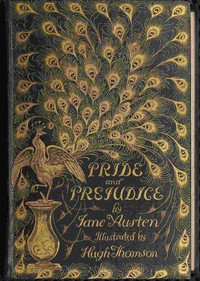
A book worth coming back to.
Interactive illustration · example content
Less collecting. More possibility.
The recipe. The book recommendation. That place for next weekend. Give the things you save a little more purpose.
A screenshot or a link. Save it in a couple of taps, straight from your share sheet. Add a thought now or come back later.
Make saving simpleWith your permission, AI pulls out relevant details based on what your list is for. Less digging. More to work with.
Meet your useful cardsShortlist the favourites. Compare the details. Share the possibilities with someone who gets it.
Make plans togetherA place for your kind of things
“Books to read” is a great start. “Holiday” might need a little more thought. Hold This helps clarify what you mean, so the details you see suit the plans you’re making.
A closer lookSmall saves. Real life.
Big plans, passing interests, everyday inspiration. There’s room for the way your mind works.
Keep the book, the author and the reason it caught your eye.
Explore saving links ↗02 / SOMETHING DELICIOUSKeep the screenshot, find the useful details and add your own notes.
Explore screenshots ↗03 / A PLAN TAKING SHAPECollect possibilities, compare favourites and talk them through.
Explore shared lists ↗Thoughtfully kept
A useful card is a starting point. Check its sources, make corrections and open the original whenever you need the full picture.
Preview adjustments never overwrite your screenshot.
Keep the details you’ve edited when new findings arrive.
Ratings, reminders and framing belong to you, even in shared lists.
Choose cloud processing during setup, or keep saving without it.
A few things you might be wondering
Save screenshots and web links. Add a note, a question or a reminder when it helps. You can share content into Hold This from another app or add it directly inside a list.
The original stays with your save. With cloud AI enabled, Hold This uses the purpose of your list to identify the item and add relevant details. You can check sources and correct what it finds.
Yes. You can keep screenshots, links and notes, and use local text search without enabling AI processing. Your choice is made during setup.
Yes. Invite someone to a list and choose their role. Notes and questions belong to the shared item; your ratings, reminders and image framing stay personal.
No. Your original stays available. Adjusting a preview or correcting a detail does not rewrite the original image.

From the first screenshot to the next great plan.
Keep it all with Hold This.